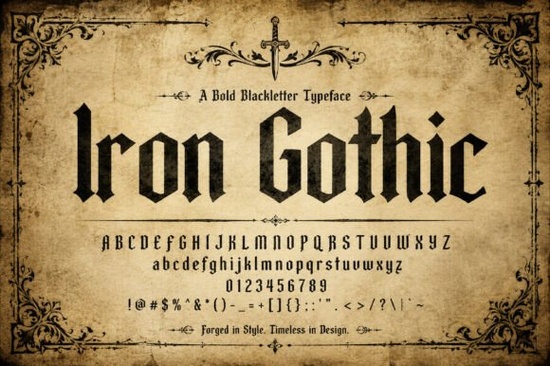
If you’ve been searching for a blackletter font that feels both historic and polished, Iron Gothic Font might be exactly what your next project needs. It’s not just another gothic typeface it’s built with clean lines and sharp details that give it a modern edge while still honoring traditional calligraphy. Whether you’re designing labels for small-batch spirits, crafting vintage-style posters, or building a brand identity with heritage appeal, this font brings weight and presence without feeling cluttered or outdated.
What makes Iron Gothic different from other blackletter fonts?
Many blackletter fonts lean heavily into ornate swirls or medieval flair which can be beautiful, but sometimes overwhelming. Iron Gothic keeps the structure tight and intentional. The vertical strokes are rhythmic, almost like hammer strikes on an anvil, giving each letterform a sense of crafted strength. You’ll notice the terminals (those little endings on letters) are crisp and deliberate, not frilly. That balance is rare in this category especially if you’re comparing it to something like Timelapse, which leans more into fluid motion and script-like flow.
It’s also worth noting how well it scales. Small sizes stay legible thanks to its clean internal spacing, and large headlines feel monumental without becoming muddy. If you’ve ever struggled with gothic fonts turning into visual noise at poster size, this one holds up.
Who should use Iron Gothic Font?
- Print-on-demand sellers Use it for t-shirts, mugs, or posters targeting fans of history, metal music, or artisanal culture.
- Small business owners Especially those in brewing, distilling, leatherwork, or woodworking. The font’s “master craftsman” vibe pairs naturally with handmade goods.
- Graphic designers Looking for a headline font with gravitas that doesn’t require extra styling to stand out.
- Hobbyists & crafters Making invitations, signage, or personal projects with a vintage or gothic twist.
It’s also surprisingly flexible. While it shines in heritage contexts, it doesn’t feel out of place in modern editorial layouts think magazine covers, event posters, or even packaging for premium products. The key is pairing it with clean, minimal supporting typography. Let Iron Gothic carry the drama; keep everything else calm.
How does it perform in real-world use?
In practice, users report that Iron Gothic saves time. Because the weight and spacing are so balanced, you rarely need to tweak kerning or add drop shadows to make it pop. It reads well in both print and digital formats yes, even on screens, which isn’t always true for dense blackletter styles.
One designer using it for whiskey bottle labels mentioned how clients immediately associated it with “small-batch authenticity.” Another used it for a fantasy book cover and said readers assumed the story was set in a gritty, industrial medieval world all from the font choice alone. That kind of instant tone-setting is valuable when you’re trying to communicate mood quickly.
If you’re exploring similar options, you might also want to look at our collection of blackletter fonts there’s a surprising range, from delicate scripts to heavy-duty display faces. But Iron Gothic sits in that sweet spot where tradition meets usability.
Any tips for getting the most out of this font?
- Use it sparingly. It’s a headline font, not body text. One strong word in Iron Gothic often says more than a full paragraph.
- Pair it with sans-serifs. Try Helvetica, Futura, or even a geometric font like Montserrat. The contrast helps it breathe.
- Avoid busy backgrounds. This font wants space. Textured paper? Fine. A photo with lots of detail? Not ideal.
- Experiment with all-caps. The vertical rhythm really sings when letters are uniform in height.
And don’t forget licensing matters. Iron Gothic comes with a commercial license, so you’re covered for client work, merchandise, and branding. Always double-check usage rights if you’re scaling up production, but for most indie creators and small studios, you’re good to go.
Where should you start if you’re new to blackletter fonts?
If Iron Gothic is your first dive into this style, start simple: pick one word your brand name, a product title, or a tagline and set it in the font at large size. See how it feels. Adjust tracking slightly if needed. Then build around it with neutral typefaces. You don’t need to “style” it much its power is in its structure.
For deeper exploration, browse Creative Fabrica’s library. You’ll find fonts like Timelapse Font if you want something with more movement, or stick with Iron Gothic when you need authority and clarity.
Next step: Download a sample or test drive the font in your design software. Set the word “FORGED” in all caps. If it gives you that satisfying clink of metal on metal, you’ve found your typeface.
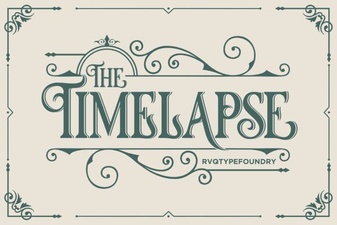 Timelapse Font: Design Styles & Creative Uses
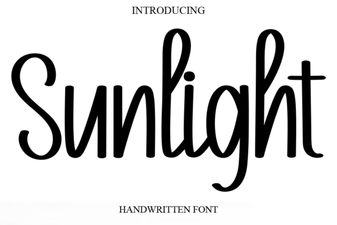 Illuminate Your Design with Sunlight Font
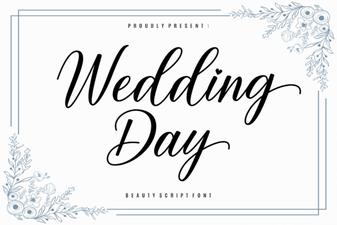 Perfect Wedding Day Fonts for Your Invitations
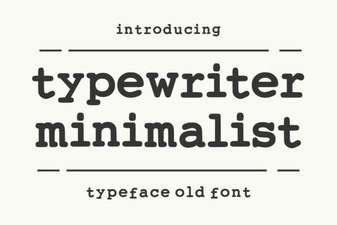 Minimalist Typewriter Fonts for Modern Design
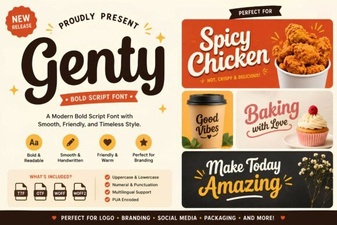 Genty Font: Modern Typography for Creative Projects
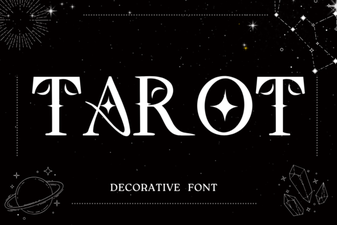 Tarot Fonts: Designing Modern Occult Art