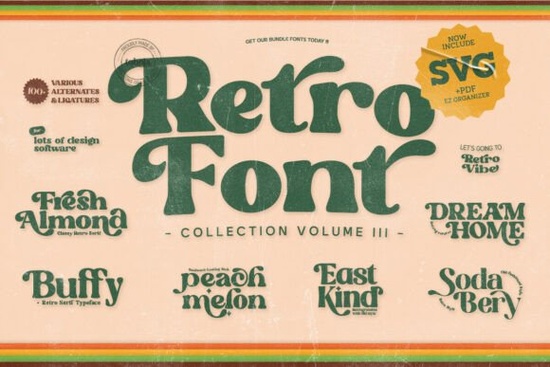
If you’ve been searching for fonts that bring back the fun, free-spirited energy of the 60s and 70s, the Retro Groovy Bundle Font might be exactly what your next project needs. Whether you’re designing a T-shirt, packaging for a small business, or social media graphics with personality, this bundle gives you seven distinct display fonts each one crafted to feel handmade, bold, and full of character.
These aren’t your average retro fonts. They’re built with curves that feel organic, letterforms that bounce with rhythm, and stylistic alternates that let you tweak the vibe without switching typefaces. And because they’re PUA encoded, you won’t need complicated software tricks to access special characters or swashes just open your favorite design app and start playing.
What kinds of projects work best with these fonts?
Because they’re display fonts meant to grab attention, not disappear into body text they shine in visual-heavy projects. Think:
- Event posters for music festivals, flea markets, or community gatherings
- Merchandise designs like mugs, tote bags, or stickers with a vintage twist
- Social media templates that need to stand out in crowded feeds
- Album art or playlist covers for indie musicians or podcasters
- Branding elements for cafes, boutiques, or handmade product labels
You’ll also get bonus illustrations and retro textures (if included), which can layer behind your text or serve as standalone graphic elements. That’s especially helpful if you’re using tools like Canva or Affinity, where quick drag-and-drop assets speed up your workflow.
Which font should I try first?
Each of the seven fonts has its own flavor, so it’s worth experimenting. Here’s a quick look at what you’ll find inside:
- Fresh Almond – Soft, rounded letters with a gentle bounce. Great for friendly, approachable branding.
- Peach Melon – Playful and slightly irregular, like hand-painted signage from a beachside shop.
- Dream Home – Chunky, condensed, and confident. Perfect for headlines that need to fill space without losing charm.
- Buffy – Thin strokes with exaggerated curves. Feels light but still full of movement.
- Sodabery – Inspired by soda shop signage. Rounded, bubbly, and nostalgic.
- East Kind – A little more structured, with subtle serifs and clean geometry. Good for when you want retro with restraint.
If you liked the quirky energy of Graffiti City or the playful structure of Homegoing, you’ll probably feel right at home here. Even if you usually reach for something more minimal like Brick Edgie, having one or two groovy fonts in your toolkit can add contrast when you need to break out of a grid.
Will these work with my design software?
Yes whether you’re using Adobe apps like Illustrator or Photoshop, browser-based tools like Canva, or alternatives like Affinity or CorelDRAW, these fonts install and behave like any other OTF or TTF file. No plugins or extra steps required. Just unzip, install, and start typing.
That’s especially useful if you’re juggling multiple clients or side hustles. You don’t want to waste time troubleshooting font compatibility when you’re on a deadline. These are plug-and-play, even for beginners.
How do I make the most of stylistic alternates?
Most design programs let you toggle alternates through their glyph panel or character menu. In Illustrator, for example, you’d open Window > Type > Glyphs, then click on a letter to see its variations. In Canva, you might need to manually replace letters using the text editor but it’s still doable.
Try mixing uppercase and lowercase alternates within the same word. Or swap in a swash tail for the last letter of a headline. Small tweaks like that keep your design feeling custom, even if you’re working fast.
If you’re pairing these with another display font, consider balancing them with something simpler maybe something like Departure Board for contrast. Too many busy fonts together can feel chaotic. One groovy headline with clean supporting text often works better than trying to match energy across every line.
Before you download, here’s a quick checklist:
- Check your license. Most Creative Fabrica personal/commercial licenses cover print-on-demand and small business use, but always double-check based on your project scale.
- Test readability. These fonts look great big but avoid using them for fine print or long paragraphs.
- Layer with textures. If bonus retro textures are included, try overlaying them at low opacity behind your text for instant vintage depth.
- Save your favorites. With seven fonts, you won’t use them all at once. Pick two or three that fit your current brand or project style and bookmark the rest for later.
Start simple. Pick one font, one color, one texture. See how it feels. Then build from there. The goal isn’t to use every feature it’s to find the right tool that helps your idea feel alive.
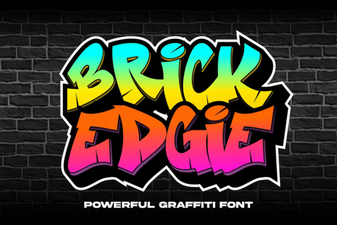 Brick Edgie: a Bold, Geometric Design Font
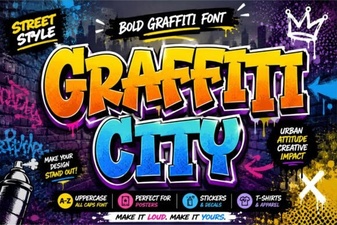 Graffiti City Font: Free Urban Typography Resources
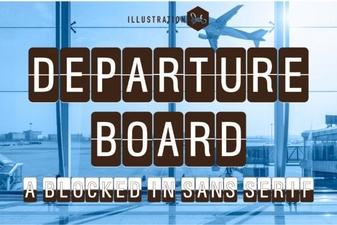 Crafting with Departure Board Font Styles
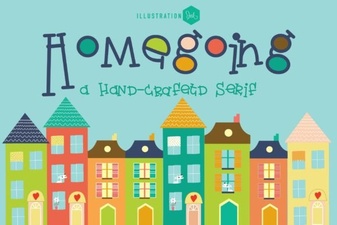 The Homegoing Font: Elegant Typography for Creative Projects
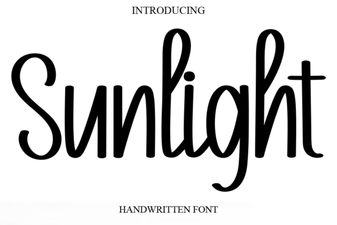 Illuminate Your Design with Sunlight Font
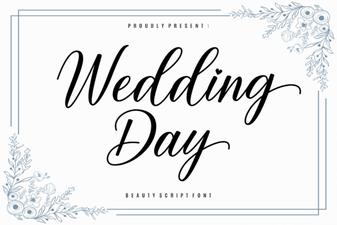 Perfect Wedding Day Fonts for Your Invitations